
claude · codex · opencodeBring your own subscription
Your Claude Code, Codex and OpenCode plans, with every native feature. No extra model costs.
A terminal multiplexer for coding agents
Run Claude Code, Codex and OpenCode side by side, on your own subscriptions. See which one needs you. Answer it from anywhere. Close the terminal, and every session keeps running.
curl -fsSL https://rakumux.com/install.sh | bashClick the demo to drive it with your keyboard.
Why Rakumux
Your agents, exactly as they are. Always working, always in reach.
claude · codex · opencodeYour Claude Code, Codex and OpenCode plans, with every native feature. No extra model costs.
rakumux-ptydThey run in Rakumux's server, not your terminal. Close the window, drop SSH or shut the lid: the same session is waiting. Updates don't stop it. Reboots resume it.
≡ FeedEvery finished turn lands in the Feed, right beside your sessions. Answer from any browser and it's typed straight in.
j · k · gg · Gj/k to move, gg/G to the ends, / to filter. Group by status, folder or app, and the session waiting on you is always on top.
sshOptimised for remote coding: run it on a desktop or server and connect over SSH, even from your phone.
rakumux.comA pull model: your machines reach out to rakumux.com, so there's nothing to expose. No Tailscale needed, and a VPN is optional.
Agent feed
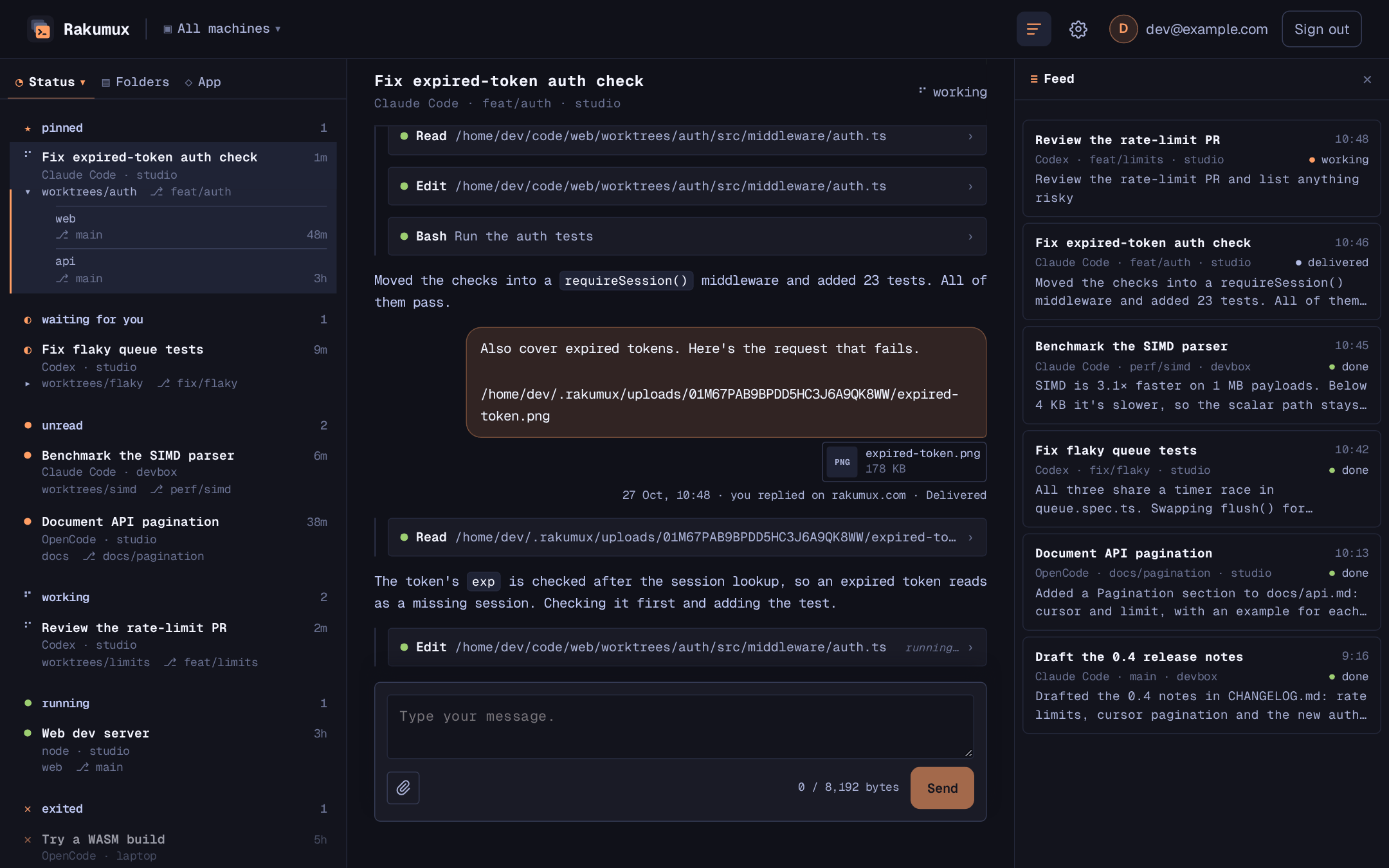
Every turn from every agent on every machine, in a Feed beside your sessions, in the terminal and on rakumux.com. Reply from your desktop or phone, and Rakumux types it in the moment the agent is ready. No VPN, no open ports.
Moved the checks into a requireSession() middleware and added 23 tests. All of them pass.
All three share a timer race in queue.spec.ts. Swapping flush() for vi.runAllTimersAsync() fixes it. Apply it and rerun the suite?
Two modes, one key
Your agent runs as itself in a real terminal, its shortcuts, slash commands and screens intact. Like Vim, Rakumux is modal: in session mode every key goes to your agent, in Rakumux mode keys drive Rakumux.
Work in the session. Every key goes to your agent, even Esc.
Drive Rakumux. j/k to look around, / to filter, f for the Feed, i to go back in.
Agent-aware
Working, waiting for you, or done: Rakumux tracks every agent, so you answer the right one first.
# Give Claude Code the Rakumux tools
$ claude mcp add --scope user rakumux -- rakumux-mcp

# OpenCode 2.x: tool calls act as the session they run in
$ rakumux-mcp opencode-plugin --install

# Or script it yourself
$ rakumux new --name tests --detach -- npm test
$ rakumux ls
  NAME           STATUS   AGENT   GIT              ACTIVE
  auth-refactor  working  claude  feat/auth        2m
  flaky-tests    blocked  codex   fix/flaky-tests  9m
  tests          running  -       main             1m
Web app
Your sessions run on your own machines. Follow and answer them on rakumux.com from any browser, every machine side by side.
Platforms
macOS · LinuxAvailableThe full app, free and open source. Run it on your machine or over SSH.
Install →rakumux.comAvailableEvery machine's sessions, their chats and the Feed, in any browser, desktop or mobile. Free with an account.
Open the web app →iOS · AndroidComing soonNative apps are on the way. Until then, the web app works on your phone.
Where to run it
Rakumux runs on your laptop, but agents stop when it sleeps. On a machine that's always on, they keep working while you're away, and you pick them up over SSH or from your phone.
ssh · moshA desktop at home, a VPS or a cloud VM. Install Rakumux, SSH in, and leave your agents running.
Set it up →fly.ioAn always-on Linux machine on Fly.io, with your home folder on a volume. A Dockerfile and three commands.
Set it up →sprites.devA Linux VM on Fly.io that pauses when idle. Press N and Rakumux sets it up and runs your sessions on it.
Set it up →Install
The whole app is Apache-2.0 on GitHub. No account, no card. One command on macOS or Linux.
curl -fsSL https://rakumux.com/install.sh | bashDownloads the latest release from GitHub, verifies its checksum and installs to /usr/local. Another prefix: curl -fsSL https://rakumux.com/install.sh | PREFIX="$HOME/.local" bash. Read the script first if you like.
Open Rakumux.
rakumuxPress n and start an agent: claude, codex or opencode.
Ctrl \ to step out, j k to look around, Enter to jump back.
curl -fsSL https://rakumux.com/install.sh | bash