

Why developers use it
Run many agents at once
Give each task its own agent, in its own folder or worktree, and keep them all running while you
work on something else.
Know which agent needs you
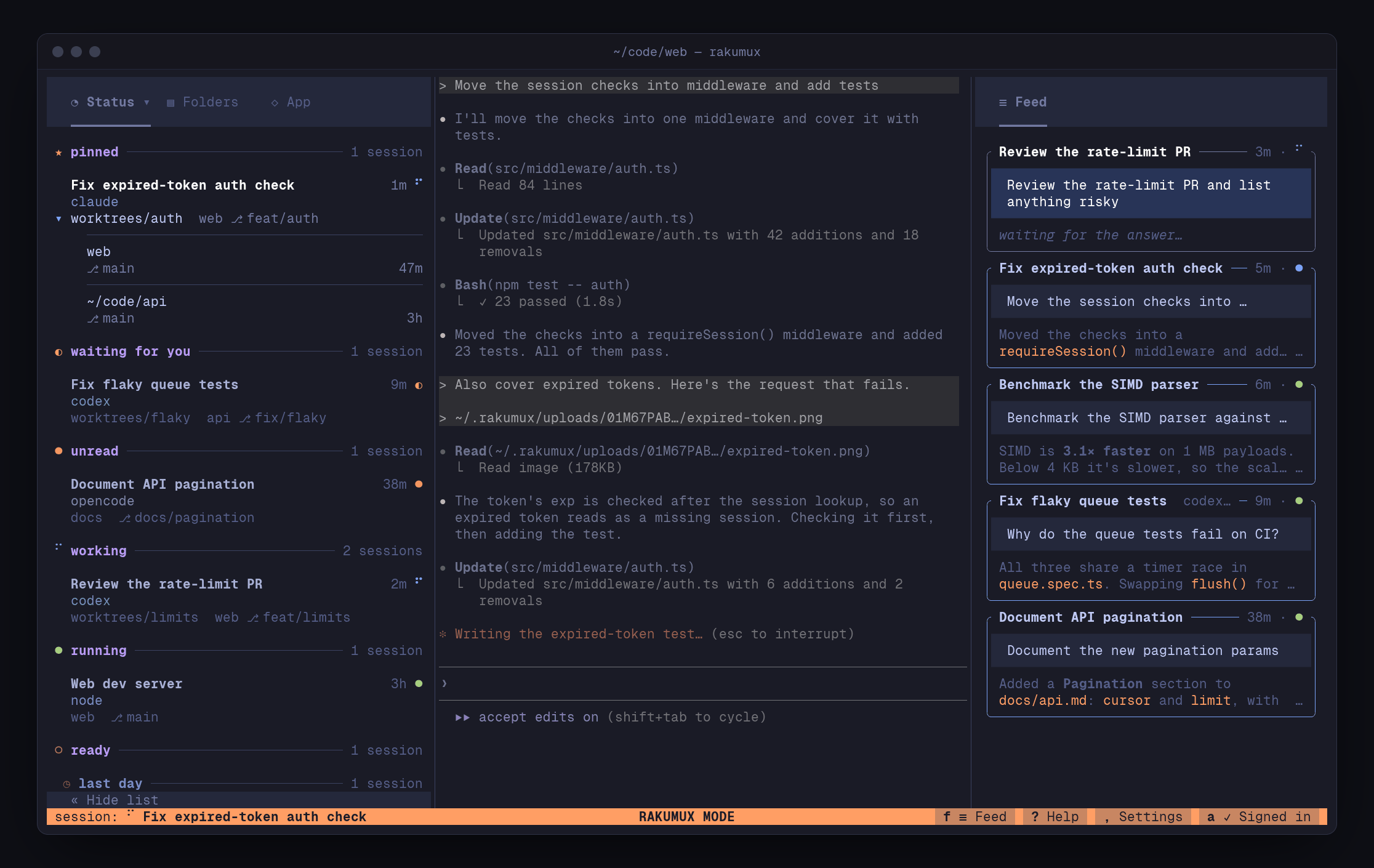
The list opens on Status: agents waiting for your answer first, then replies you haven’t
read, then the ones still working.
Sessions named for their task
Signed in, each agent session gets a short AI title from what you asked it, like Fix flaky
login test.
Sessions outlive the window
Quit, disconnect or reboot: agents keep working, and Claude Code, Codex and OpenCode come back
in the same conversation.
Work from anywhere
Run agents on a remote machine so they keep working while your laptop sleeps, and pick them up
from any SSH login or your phone.
Let agents use it too
An MCP server, a JSON command line and a local HTTP API let agents and scripts start, read and
watch sessions.
How it feels
- One key, no collisions. Your programs keep every key but one:
Ctrl-\switches between a session and Rakumux. In Rakumux,j/kmove through the sessions and each one plays live beside the list. - Nothing to manage. A session is just a folder and a terminal. Rakumux never runs
gitor creates worktrees for you; it reads each session’s branch, follows the worktree its agent is working in, and lists every checkout it changed. - Answer from anywhere. The Feed beside your sessions has every agent’s finished turns, from every machine; write back there or on rakumux.com, with a screenshot if you like.
- Many windows, one set of sessions. Open Rakumux in several terminals, or over SSH and on your phone at the same time: they all show the same sessions, live.
Start here
Quickstart
Install Rakumux and run your first agent in two minutes.
How Rakumux works
Sessions, folders, the background server and the two modes.
Set up your agents
Activity hooks, the MCP server and what agents may do.
Keyboard and mouse
Every key, in one place.